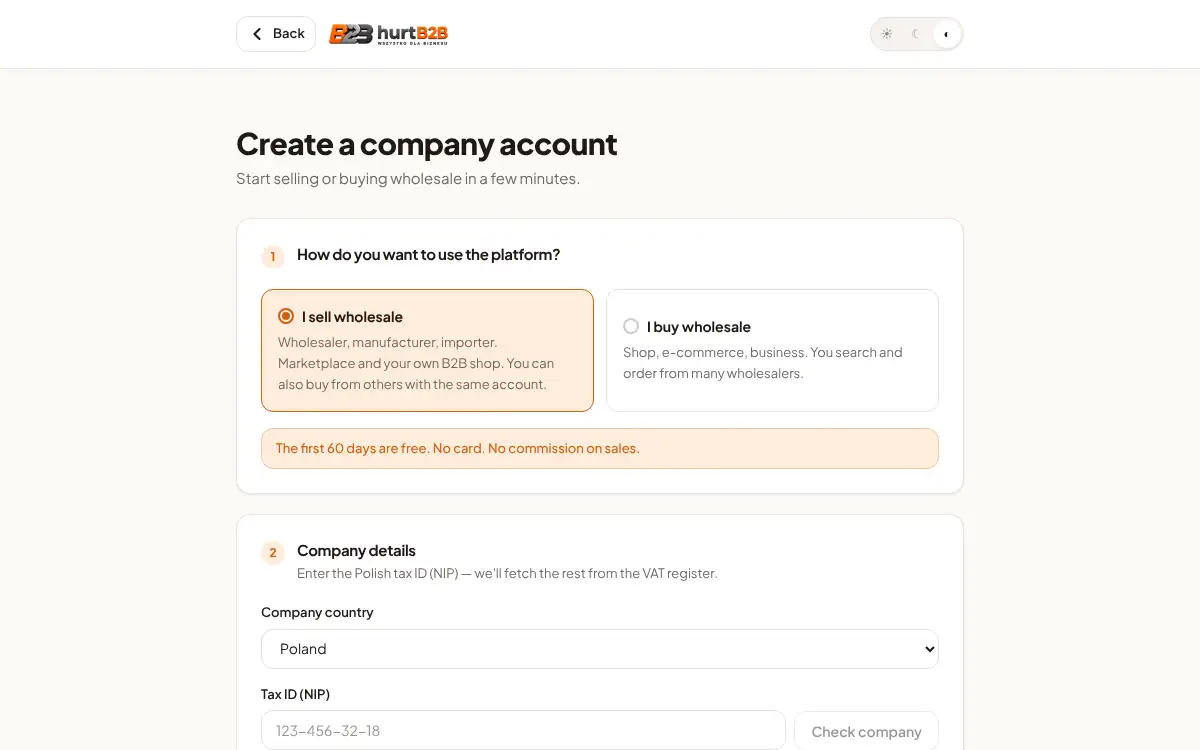
Creating a wholesaler account takes a few minutes. We fetch your company details from the VAT register, and after logging in the “First steps” list guides you through the setup.
1
Choose the account type
On the registration page click “I sell wholesale”. A wholesaler account starts with a free trial.
2
Enter your tax ID (NIP)
Enter your NIP and click “Check company”. Name, address and REGON fill in from the VAT register.
3
Create the account
Enter first name, last name, e-mail and a password (at least 8 characters), tick the consent and click “Create account”.
4
Go through “First steps”
Your dashboard shows a checklist: profile, products, delivery, payments, shop and customers. Each step ticks itself off when done.